What needed solving.
Job applications repeat the same facts across incompatible forms, while matching every person to every posting with a model is expensive and hard to inspect.
- 01Profile + posting facts
- 02Rules + browser forms
- 03Confirmed or uncertain receipt
Simplified from the implementation and project notes.
How it fits together.
Reuse posting facts for matching
The ingest and requirements paths extract job facts once; candidate fit combines location, seniority, skills and authorization rules, leaving model judgment for ambiguous cases. This makes role facts reusable and individual match checks cheaper and easier to inspect.
Fill supported application forms
A paced dispatcher claims due applications, opens platform-specific Browserbase sessions and fills fields from saved profile answers. The form layer recognizes required fields and blocked or uncertain states; outcomes are recorded separately so an attempted click is not automatically a confirmed submission.
Verify limits and isolate review data
The repo tests matching rules, pacing and application outcomes. Its disposable PGlite QA runs the real Next routes against an in-memory database while rejecting external requests. This separates onboarding and dashboard checks from payment, email and application-submission side effects.
Inside the software.
Staff Jobs is an application-assistance service: resume and search setup feed an automated job-matching and application workflow, with human-controlled profile answers, inbox replies, and subscription access.
Resume intake and editable profile
Resume upload extracts contact and experience details into an editable profile; users can replace resumes and retain versions, or build a profile through chat if they skip upload.
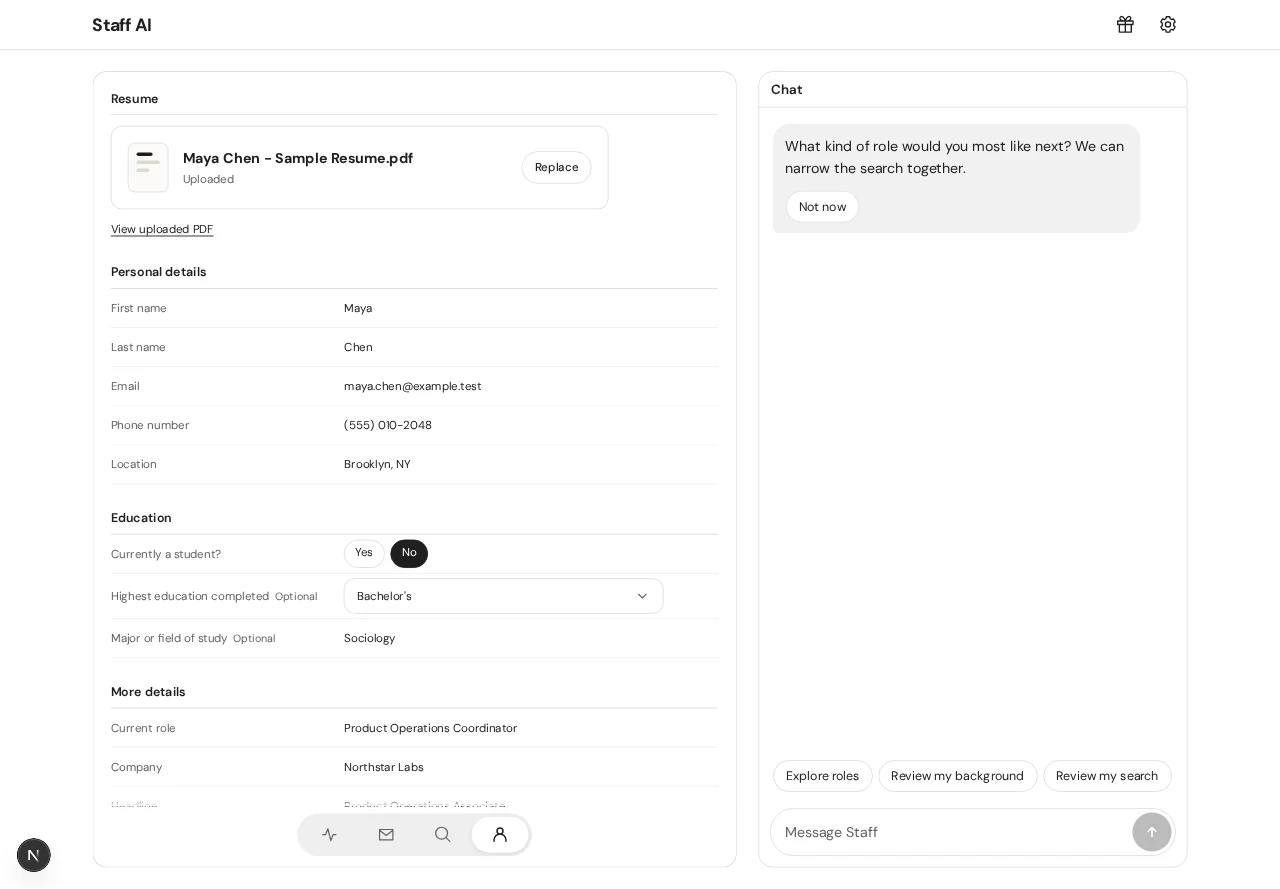
Private resume drafts are claimed at account creation; parsing and profile data live in the application backend. Resume-derived fields preserve existing contact values when the file omits them.
UI captured locally. Data and integration limits are noted above.
Implementation references
staff-jobs/README.mdstaff-jobs/components/ResumeStep.tsxstaff-jobs/components/ProfileView.tsxstaff-jobs/app/api/jobs/resume/route.tsstaff-jobs/lib/profile.ts
Guided profile and job-search setup
Three setup stages collect resume, profile basics, and job preferences before creating the account; saved setup has a retry path when campaign startup fails.
Profile and search preferences are saved to a private draft before account creation. Search includes role, location, pay, and student preferences.
Present in the reviewed source.
Implementation references
staff-jobs/README.mdstaff-jobs/components/Setup.tsxstaff-jobs/components/OnboardingSteps.tsxstaff-jobs/components/OnboardingProfile.tsxstaff-jobs/components/OnboardingSearch.tsxstaff-jobs/app/api/jobs/onboarding/route.ts
Job discovery and fit ranking
Staff ingests employer postings, builds embeddings and requirements, then ranks roles against profile and saved search criteria before adding eligible work to queues.
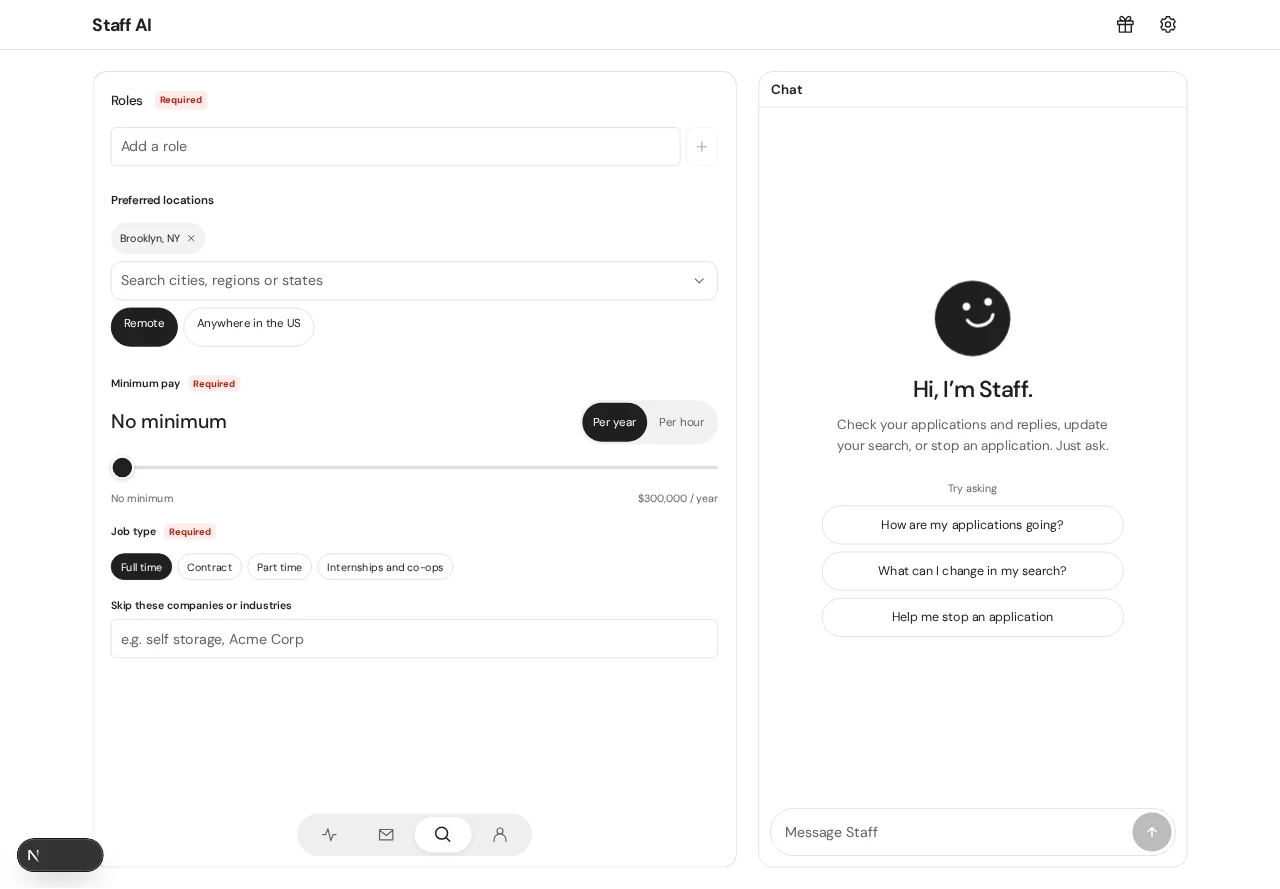
Scheduled ingestion and embedding pipelines support Greenhouse, Lever, Ashby and additional Workday/iCIMS/Oracle pathways; matching combines requirements and fit rules, and excludes closed, stale, or unsupported matches.
UI captured locally. Data and integration limits are noted above.
Implementation references
staff-jobs/README.mdstaff-jobs/lib/match-rules.tsstaff-jobs/lib/search-settings.tsstaff-jobs/app/api/jobs/cron/ingest/route.tsstaff-jobs/app/api/jobs/cron/embed/route.tsstaff-jobs/app/api/jobs/onboarding/matches/route.ts
Automated application submission
The dispatcher schedules matching applications and uses browser sessions to fill supported employer forms, while per-person limits and company/platform constraints shape concurrency.
Minute cron starts due applications with fair account shares; browser automation supports form fill/live modes, defaults to fill, and dispatch uses a per-person cap and one-at-company constraint.
Present in the reviewed source.
Implementation references
staff-jobs/README.mdstaff-jobs/lib/pace.tsstaff-jobs/lib/apply/form.tsstaff-jobs/app/api/jobs/cron/dispatch/route.tsstaff-jobs/app/api/jobs/applications/route.ts
Live application queue and campaign controls
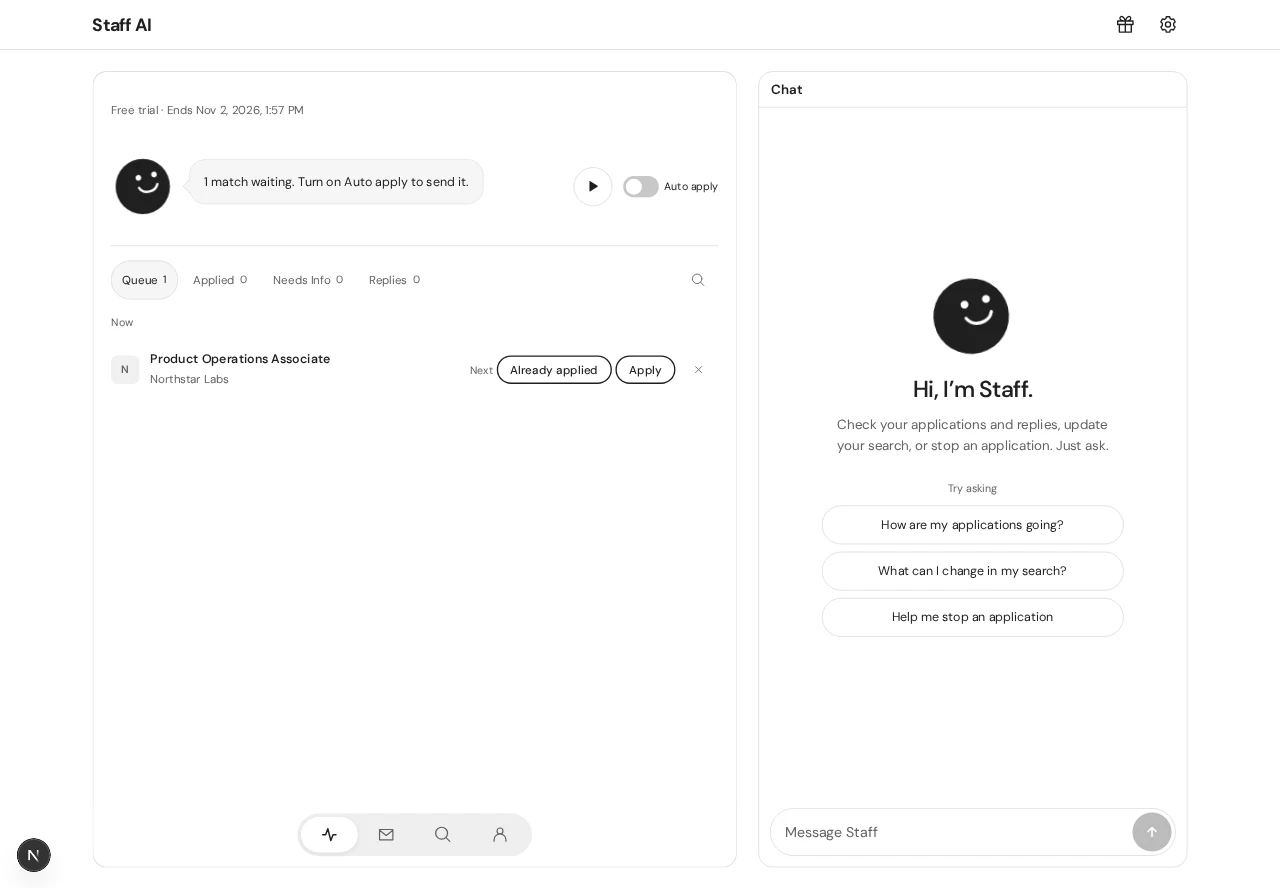
Dashboard separates queued, running, applied, and blocked work; a campaign can be paused and specific queued work can be canceled while unrelated jobs continue.
Campaign state and per-application status are persisted; dispatcher respects pause, allowance, blocked reasons, and queue refill behavior.
Present in the reviewed source.
Implementation references
staff-jobs/components/Dashboard.tsxstaff-jobs/components/Applications.tsxstaff-jobs/components/LiveStatus.tsxstaff-jobs/app/api/jobs/campaign/route.tsstaff-jobs/app/api/jobs/applications/[id]/route.tsstaff-jobs/lib/pace.ts
Staff chat and application questions
Chat handles profile intake and employer-required application questions; unanswered facts hold only affected jobs, while other eligible matches continue.
Conversational state and saved answers feed the application worker; unknown personal facts are held for the applicant rather than inferred. Chat and needs-info endpoints persist state.
UI captured locally. Data and integration limits are noted above.
Implementation references
staff-jobs/components/Chat.tsxstaff-jobs/components/AgentQuestion.tsxstaff-jobs/components/NeedsYou.tsxstaff-jobs/app/api/jobs/chat/route.tsstaff-jobs/app/api/jobs/answers/route.tsstaff-jobs/app/api/jobs/needs/route.ts
Employer inbox and reviewed replies
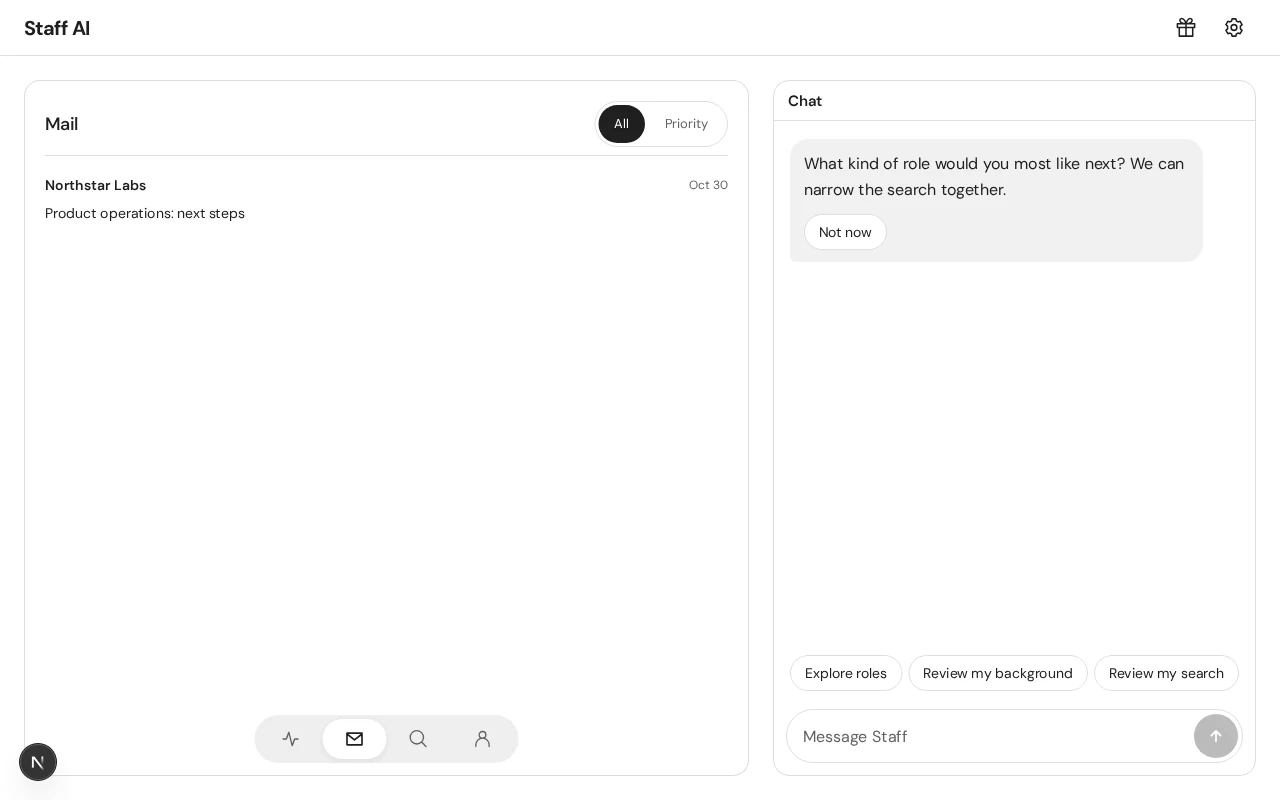
Staff receives employer messages, classifies follow-ups, and drafts answers for review; applicant approval is required before a reply is sent.
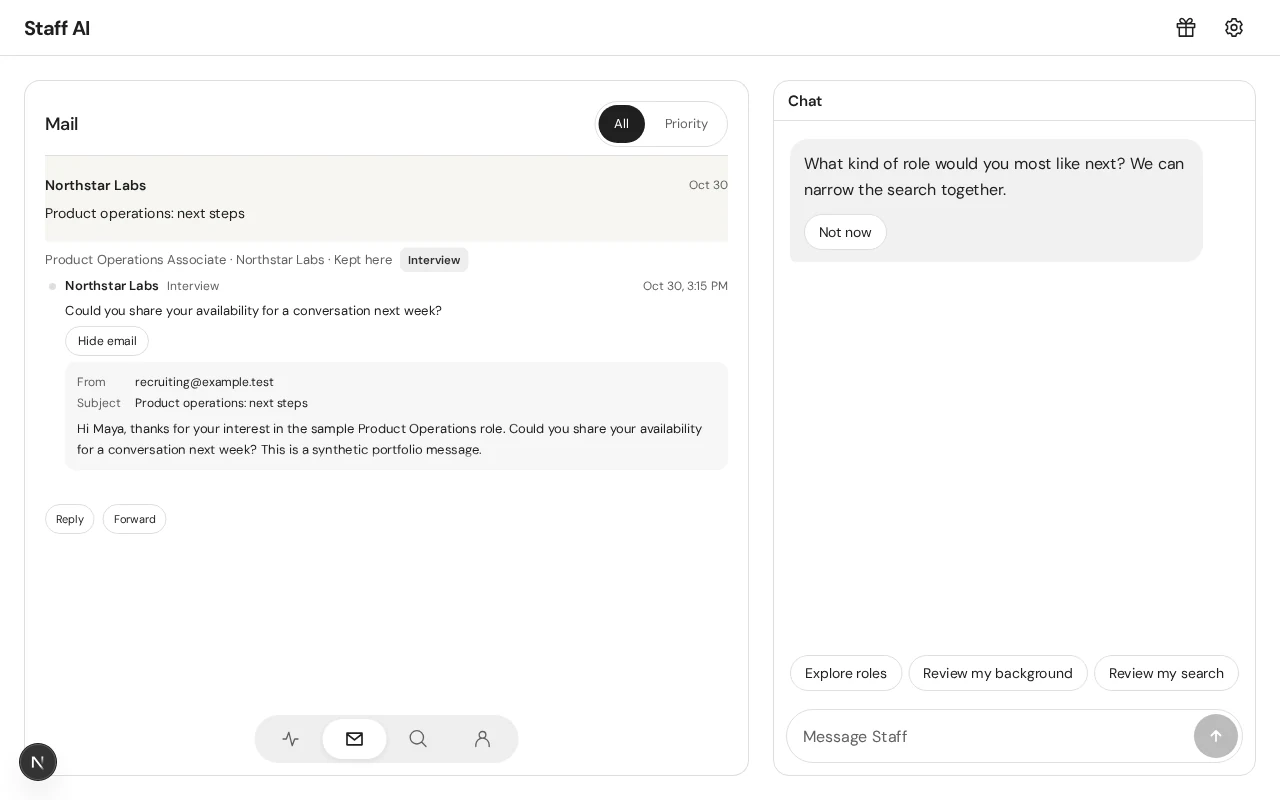
Applicant-address mail is routed into dashboard inbox; reply drafts retain answer provenance, with dashboard and single-use emailed approval paths.
UI captured locally. Data and integration limits are noted above.
Implementation references
staff-jobs/components/Inbox.tsxstaff-jobs/components/Replies.tsxstaff-jobs/components/ReplyComposer.tsxstaff-jobs/app/api/jobs/mail/inbound/route.tsstaff-jobs/app/api/jobs/inbox/draft/route.tsstaff-jobs/app/api/jobs/inbox/approve/route.ts
Trials, billing, and referrals
Billing manages card-backed trial access and paid subscriptions; referral progress and the separate NATHAN offer are represented in account flows.
Stripe checkout and webhook-backed entitlements govern campaign start/continuation; referral rewards and no-card promo eligibility have distinct rules.
Present in the reviewed source.
Implementation references
staff-jobs/README.mdstaff-jobs/components/WelcomeOffer.tsxstaff-jobs/components/PlanPicker.tsxstaff-jobs/components/FriendLinks.tsxstaff-jobs/app/api/jobs/billing/route.tsstaff-jobs/app/api/jobs/checkout/route.tsstaff-jobs/lib/referral-rewards.ts
Building and checking it.
The user completes resume, profile, and search steps, then reviews the account and application dashboard. Application pacing and per-company limits constrain dispatch.
The codebase contains platform-specific ATS handlers and checks around application state. JoblessNoMore forked from this project, but the two applications have separate product policies and continue to diverge.
The repository includes both active and retired product paths. Tailoring and other optional features can be disabled by current product policy; code presence alone does not establish availability. No placement outcome is claimed.
Source notes
Based on repository code and project records reviewed on October 30, 2026. Historical checks are described as recorded, not rerun for this article. Screenshots, renders, and mockups are labeled individually.
staff-jobs/README.mdstaff-jobs/lib/match-rules.tsstaff-jobs/lib/apply/form.tsstaff-jobs/lib/pace.tsstaff-jobs/scripts/qa-onboarding.mjsstaff-jobs/tests/pace.test.ts